
RoundedNodeEffect
class RoundedNodeEffect
Extends: NodeEffect<Node>
Package: dev.joid.lib.ui.node.effect.impl · Module: core · Source: RoundedNodeEffect.java
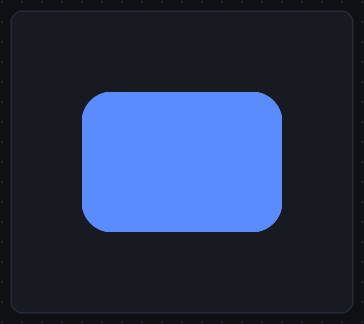
Rounds the corners of what a node draws, all four or only some of them.
Description
Section titled “Description”The corners are cut from the pixels of the node, so it rounds a rectangle, an image or a video alike.
The radius never goes past half the shorter side: create(999F) turns a rectangle into a pill.
A BorderNodeEffect on the same node outlines the rounded shape, and a ShadowNodeEffect takes its radius and its sides.
Its priority is 100, so its pass runs before a blur and a border.
Learn more
Section titled “Learn more”Creation
Section titled “Creation”| Returns | Signature | Summary |
|---|---|---|
RoundedNodeEffect | create(float radius) factory | Creates an effect that rounds the four corners with this radius, in design pixels. |
RoundedNodeEffect | create(Supplier | Creates an effect whose radius follows a Supplier: a signal, a derived value or a lambda. |
| RoundedNodeEffect(Supplier | Called by a subclass with the same argument as create(Supplier). |
Properties
Section titled “Properties”| Property | Type | Default | Summary |
|---|---|---|---|
| radius signal | float | set at creation | Radius of the corners, in design pixels, bounded by half the shorter side of the node. |
| top signal | boolean | true | If false, the two top corners stay square: a corner is rounded only when both of its sides are. |
| bottom signal | boolean | true | If false, the two bottom corners stay square. |
| left signal | boolean | true | If false, the two left corners stay square. |
| right signal | boolean | true | If false, the two right corners stay square. |
Inherited from NodeEffect (2)
Methods
Section titled “Methods”| Returns | Signature | Summary |
|---|---|---|
IShaderPass | toShaderPass(Node node) | Returns the pass that cuts the corners, with the edges of the node snapped to the screen pixels. |
Inherited from NodeEffect (4)
draw · shouldApply · toShaderPasses · copy
Creation details
Section titled “Creation details”create
Section titled “create”RoundedNodeEffect create(float radius) factory
Creates an effect that rounds the four corners with this radius, in design pixels.
RoundedNodeEffect create(Supplier<Float> radiusSupplier) factory
Creates an effect whose radius follows a Supplier: a signal, a derived value or a lambda.
RoundedNodeEffect
Section titled “RoundedNodeEffect”RoundedNodeEffect(Supplier<Float> radiusSupplier) protected
Called by a subclass with the same argument as create(Supplier).
Property details
Section titled “Property details”radius
Section titled “radius”this radius(float radius)fluentthis radius(Supplier<Float> radiusSupplier)fluent signalfloat getRadius()
Default: set at creation
Radius of the corners, in design pixels, bounded by half the shorter side of the node.
this top(boolean top)fluentthis top(Supplier<Boolean> topSupplier)fluent signalboolean isTop()
Default: true
If false, the two top corners stay square: a corner is rounded only when both of its sides are.
bottom
Section titled “bottom”this bottom(boolean bottom)fluentthis bottom(Supplier<Boolean> bottomSupplier)fluent signalboolean isBottom()
Default: true
If false, the two bottom corners stay square.
this left(boolean left)fluentthis left(Supplier<Boolean> leftSupplier)fluent signalboolean isLeft()
Default: true
If false, the two left corners stay square.
this right(boolean right)fluentthis right(Supplier<Boolean> rightSupplier)fluent signalboolean isRight()
Default: true
If false, the two right corners stay square.
Method details
Section titled “Method details”toShaderPass
Section titled “toShaderPass”IShaderPass toShaderPass(Node node)
Returns the pass that cuts the corners, with the edges of the node snapped to the screen pixels.
fluent returns the instance, typed for chaining · factory creates an instance · signal also accepts a value that follows signals, as a signal, an expression or a lambda (When does JOID compute this value again?) · hook called by JOID, override it · abstract you implement it · default interface method with a body · static called on the class · protected visible to subclasses