
BorderNodeEffect
class BorderNodeEffect
Extends: NodeEffect<Node>
Package: dev.joid.lib.ui.node.effect.impl · Module: core · Source: BorderNodeEffect.java
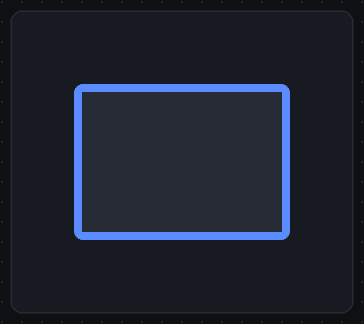
Outlines the pixels that a node draws, outside or inside their edge.
Description
Section titled “Description”The outline follows the drawn shape, not the bounds: rounded corners, a disc, glyphs, the opaque part of an image.
A gradient Color runs across the bounds of the node.
Its priority is 200, so it outlines the result of the rounded, circle and blur passes, whatever the order you add them in.
The border setters of a RectNode drive the BorderNodeEffect of the node: give a rectangle one or the other.
Learn more
Section titled “Learn more”Creation
Section titled “Creation”| Returns | Signature | Summary |
|---|---|---|
BorderNodeEffect | create(Color color, float width) factory | Creates a border of this color and width, in design pixels, drawn outside the shape. |
| BorderNodeEffect(Supplier | Called by a subclass with suppliers of the color and of the width. |
Properties
Section titled “Properties”| Property | Type | Default | Summary |
|---|---|---|---|
| color signal | Color | set at creation, by BorderNodeEffect.create(color, width) | Color of the border. |
| width signal | float | set at creation | Thickness of the border, in design pixels; 0F or less turns the effect off. |
| mode signal | BorderMode | BorderMode.OUT | Side of the edge where the border lies: BorderMode.OUT around the shape, BorderMode.IN over its outer pixels. |
| corners signal | boolean | true | If false, an OUT border leaves the corners of the node open and runs along its four sides only. |
Inherited from NodeEffect (2)
Methods
Section titled “Methods”| Returns | Signature | Summary |
|---|---|---|
Color | getColor(Node node) | Returns the color of the border for this node, as the Function overload of color computes it. |
boolean | shouldApply(Node node) | Returns false while the width is 0F or less. |
IShaderPass | toShaderPass(Node node) | Returns a BorderShaderPass with the current color, width, mode and corners. |
Inherited from NodeEffect (3)
draw · toShaderPasses · copy
Creation details
Section titled “Creation details”create
Section titled “create”BorderNodeEffect create(Color color, float width) factory
Creates a border of this color and width, in design pixels, drawn outside the shape.
BorderNodeEffect
Section titled “BorderNodeEffect”BorderNodeEffect(Supplier<Color> colorSupplier, Supplier<Float> widthSupplier) protected
Called by a subclass with suppliers of the color and of the width.
Property details
Section titled “Property details”this color(Color color)fluentthis color(Supplier<Color> colorSupplier)fluent signalthis color(Function<N,Color> colorFunction)fluent
Default: set at creation, by BorderNodeEffect.create(color, width)
Color of the border.
The overload that takes a Function receives the node, so that the color can depend on its state, such as its focus.
this width(float width)fluentthis width(Supplier<Float> widthSupplier)fluent signalfloat getWidth()
Default: set at creation
Thickness of the border, in design pixels; 0F or less turns the effect off.
this mode(BorderMode mode)fluentthis mode(Supplier<BorderMode> modeSupplier)fluent signalBorderMode getMode()
Default: BorderMode.OUT
Side of the edge where the border lies: BorderMode.OUT around the shape, BorderMode.IN over its outer pixels.
corners
Section titled “corners”this corners(boolean corners)fluentthis corners(Supplier<Boolean> cornersSupplier)fluent signalboolean isCorners()
Default: true
If false, an OUT border leaves the corners of the node open and runs along its four sides only.
Method details
Section titled “Method details”getColor
Section titled “getColor”Color getColor(Node node)
Returns the color of the border for this node, as the Function overload of color computes it.
shouldApply
Section titled “shouldApply”boolean shouldApply(Node node)
Returns false while the width is 0F or less.
toShaderPass
Section titled “toShaderPass”IShaderPass toShaderPass(Node node)
Returns a BorderShaderPass with the current color, width, mode and corners.
fluent returns the instance, typed for chaining · factory creates an instance · signal also accepts a value that follows signals, as a signal, an expression or a lambda (When does JOID compute this value again?) · hook called by JOID, override it · abstract you implement it · default interface method with a body · static called on the class · protected visible to subclasses